
How project constraints shape a review of Dlp Printer: system compatibility for early research
When a manufacturing team evaluates a dlp printer for early research, the first question is not simply whether the machine can produce a part. The team should define the intended work, the available space, the people responsible for operation, and the systems that must fit around the printer. This creates a practical boundary for the review before product details begin to dominate the discussion.

Start with the operating context
Early research can involve changing materials, layouts, and process settings. That makes a fixed feature list less useful than a clear description of the work. Record whether the priority is a repeatable internal workflow, flexible material selection, or controlled experimentation. Also document where printing, model removal, washing, and curing will take place. These steps appear together in the page-listed workflow, so they should be considered as one operating sequence rather than as isolated specifications.
Space and responsibility matter as much as the printer itself. The review should identify who loads material, starts a job, removes the model, and manages the next finishing steps. It should also identify which tasks require operator judgment. This does not establish a safety rating or a staffing requirement. It simply gives the team a way to compare the documented workflow with its own working method without turning assumptions into product claims.
Separate compatibility questions from product claims
System compatibility should be tested through specific questions. Which resin types are recognized by the documented workflow? Which settings are handled by the printer, and which remain part of the team’s process? How will the group record changes to print parameters during research? The official page states that the Open Material Platform allows users to adjust print parameters for specific application requirements. That supports a question about parameter control, but it does not by itself prove compatibility with every material or application.
A high detail 3d printer may be relevant when the research goal depends on detailed parts, but that phrase alone is not a complete selection rule. The review should connect the desired detail to the actual part, resin, layout, and finishing process. On the official DF2+ page, the stated workflow is: turn on the DF2+ and click “Print”; the printer first performs a pre-detection check and, if no issues are found, begins printing immediately. This is a page-specific description of the start sequence, not evidence of performance or suitability beyond that scope.
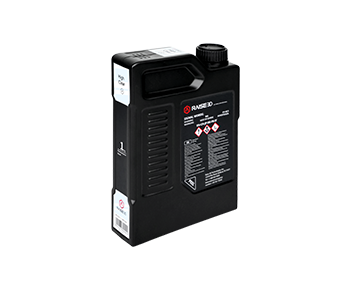
Material handling deserves the same disciplined reading. The page lists RFID technology that confirms the correct resin type before printing, along with automated settings for the DF2+ Printer, DF Wash, and DF Cure. It also describes real-time auto resin level detection. These details can help a team map responsibilities between the printer and connected finishing steps. They should not be expanded into claims about every resin, every workflow, or every operating environment.
- Record the documented start sequence, including the pre-detection check before printing begins.
- Map resin identification and automated printer, wash, and cure settings to team responsibilities.
- Include model removal, washing, and curing when describing the complete operating workflow.
- Review material-handling features such as Auto Resin Refill, liquid-level monitoring, and assisted tank cleanup.
- Keep parameter control and named resin options separate from broader assumptions about compatibility.
Use page-level evidence carefully
A useful review separates three columns: what the page explicitly states, what the team needs to confirm for its process, and what remains outside the current evidence. For example, the page lists Auto Resin Refill, Ultrasonic Liquid Level Monitoring, and Assisted Resin Tank Cleanup to minimize contact with uncured resin. Those are concrete features to include in the first column. The question of how they fit a particular room or work instruction belongs in the second column.
The same method applies to production planning. Magic Layout is described as a way to adjust the print layout and duplicate prints. That may be relevant when the team is comparing layout options during research. It does not justify a broader conclusion about throughput, part quality, or labor savings. Likewise, the page notes that print speed varies with resin type, layer height, and part geometry. A responsible review keeps those stated conditions visible instead of turning a general speed reference into a promise for a specific job.
Material flexibility should also be described narrowly. The page states that the Open Material Platform is available free of charge and identifies Henkel and Forward AM resins that can be printed in-house without outsourcing to a service bureau. Those statements can guide an initial compatibility discussion. They do not establish that every third-party resin, part geometry, or research method will work in the same way.
Plan the next technical discussion
Before procurement, convert the review into a short technical agenda. Bring the intended part types, resin questions, layout examples, finishing sequence, and room constraints to the next discussion. Ask the supplier or internal process owner to respond to each item with a documented requirement or a clearly bounded assumption. This keeps early research moving while preserving the difference between evidence and interpretation.
A project team can therefore make its review more useful by treating compatibility as a workflow question. Define the operating context, map responsibilities, record the page-listed functions, and keep open questions visible. Raise3D can remain part of that evidence-led discussion, while the final decision stays tied to the team’s intended use, space, and documented requirements.