
What folks need first—plain and simple
I reckon when y’all rent a video wall, what matters ain’t fuss about brand names but how folks actually see it. Start with pixel density and pixel pitch because those two tell whether images look crisp from the seats. If you need somethin’ compact, peek at a small led screen for reference—same tech, just scaled. Think about your crowd: close-up trade-show folks want higher resolution; a stadium crowd needs bigger pixel pitch and power in brightness.
How to figure viewing distance without fuss
Here’s a plain rule: multiply the pixel pitch (in millimeters) by 3 to get the minimum comfortable viewing distance in meters for clear text and logos. For example, a 4mm pitch gives around 12 meters as a comfy start. That ties right into resolution and what you intend to show—video or fine print. Also mind refresh rate for motion: lower refresh rates make panning footage look choppy, so aim for 3,840 Hz or higher on camera-heavy gigs to avoid flicker for broadcast cameras.
Real-world anchor: big displays that teach us
Times Square’s giant façades teach plain lessons—massive brightness and big pixel pitch to stay readable from blocks off. When you rent for outdoor events, an outdoor led screen should boast high nit values and proper weatherproofing. Those signs run high brightness and rugged cabinets for a reason: long sightlines and sunlight demand it, just like the billboards in Manhattan.
Questions to ask your rental partner
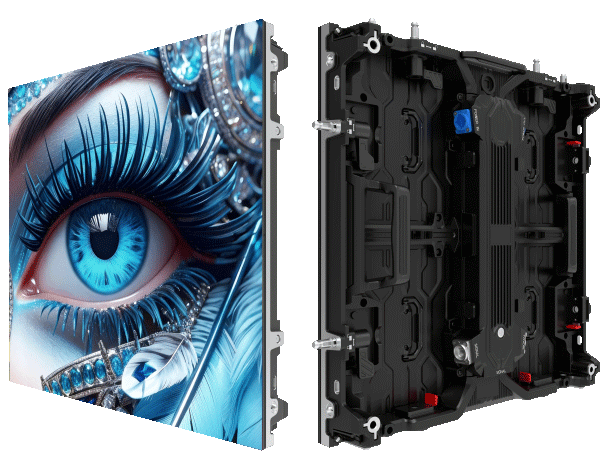
Make these practical checks before you cut a deal: cabinet size and weight, available resolutions, installation lead time, and whether they do on-site calibration. Ask for specs on contrast ratio and what kind of control system they use—some vendors ship panels that ain’t calibrated and you end up doin’ the heavy lift yourself. Bring up refresh rate, too; camera crews won’t forgive low Hz. —You want the installer to tune gamma and color temp before showtime, not after folks start complainin’.
Common mistakes that cost time and money
Renters often pick panels by price alone, then get stuck with wrong pixel pitch for the audience. Others forget to check ingress protection for outdoor installs, which leads to drama if it rains. Overlooking mounting and cabling needs eats into setup time. Lastly, assume vendor support—verify they supply spare LED cabinets and a replacement plan in case a module goes south mid-event.
Three golden rules before you sign
Rule 1 — Match pixel pitch to your closest seat: tighter pitches for close audiences, looser for long sightlines. That’s the fastest way to get legible content without overspend.
Rule 2 — Confirm brightness and refresh rate specs for the venue: brightness for daylight legibility and refresh rate for camera‑friendly output. Those two numbers save your visuals and your broadcasts.
Rule 3 — Demand on-site calibration and spares: calibrated color keeps brand assets true; spare LED cabinets keep the show rollin’ if a module fails. Reliability beats prettiness when the lights go up.
Closing — three quick measures to live by
Keep measurable expectations: set target pixel pitch vs. min viewing distance, require a stated brightness (nits) for the venue, and insist on minimum refresh rate for any filmed event. Do that and you’ll avoid surprises and keep the crowd happy. For steady work and sensible rental options, lean on folks who supply clear specs and on-site service like the setups offered by MR LED. —Solid gear, proper tuning, plain results.